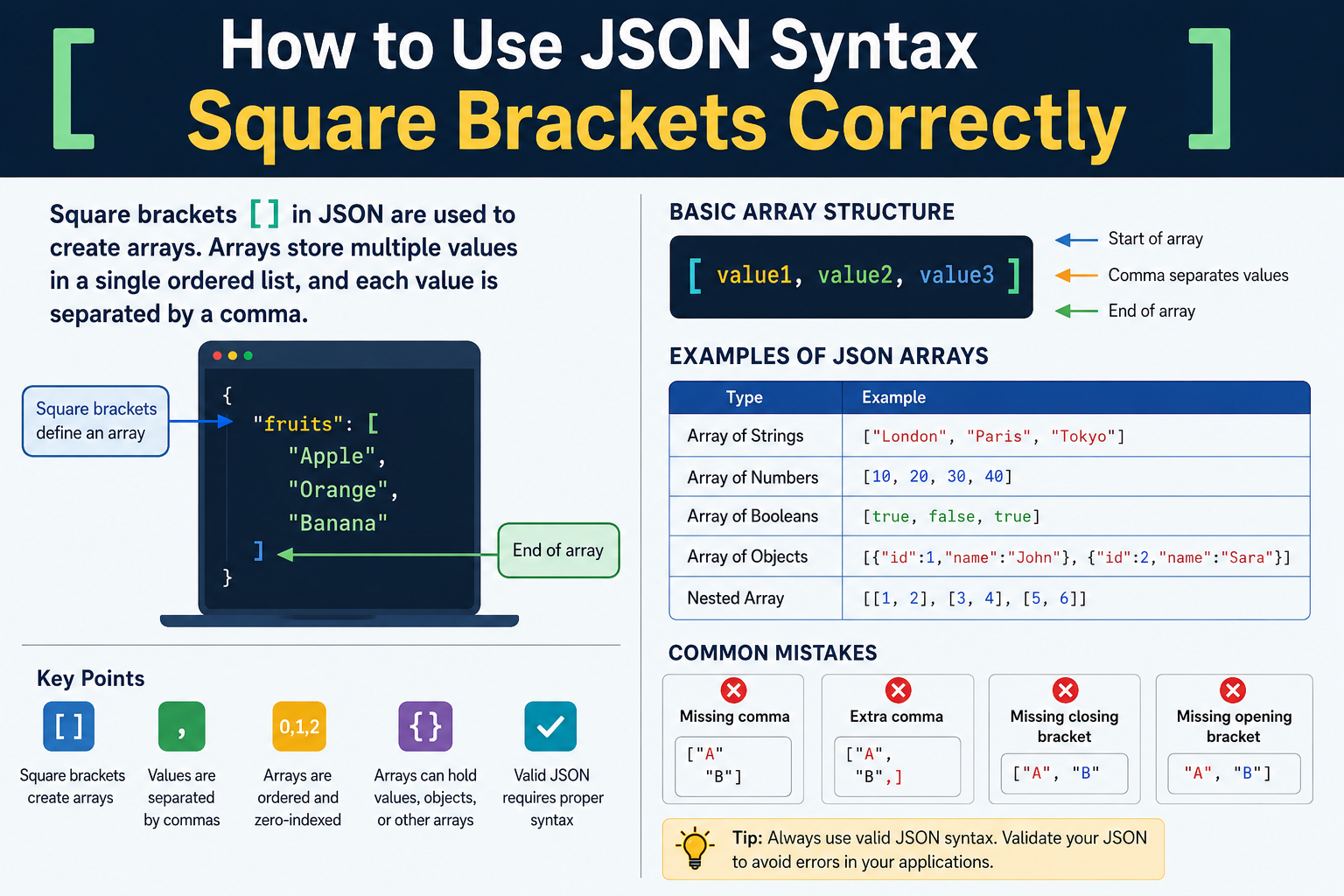
How to Use JSON Syntax Square Brackets Correctly
Square brackets [] in JSON are used to create arrays. Arrays store multiple values in a single ordered list, and each value is separated by a comma.
What Are Square Brackets in JSON?
Square brackets are one of the most important parts of JSON syntax. They define an array, which is a collection of values grouped together.
Basic example:
[
  "Apple",
  "Orange",
  "Banana"
]
In this example, the array contains three string values.
Understanding JSON Arrays
A JSON array can hold one value or many values. The values are placed between opening and closing square brackets.
Example:
[
  10,
  20,
  30
]
This array contains three numbers.
Arrays maintain the order of values. The first value stays first, the second stays second, and so on.
Basic Structure of Square Brackets
The structure is simple:
[
  value1,
  value2,
  value3
]
Rules:
| Element | Purpose |
|---|---|
[ | Starts the array |
] | Ends the array |
, | Separates values |
Every value inside the array must be separated by a comma except the last value.
Correct:
[
  "Red",
  "Blue",
  "Green"
]
Incorrect:
[
  "Red"
  "Blue"
  "Green"
]
The second example is invalid because commas are missing.
Data Types Allowed Inside JSON Arrays
JSON arrays can contain different types of data.
| Data Type | Example |
|---|---|
| String | "Book" |
| Number | 100 |
| Boolean | true |
| Null | null |
| Object | { "name": "John" } |
| Array | [1, 2, 3] |
Example:
[
  "Laptop",
  500,
  true,
  null
]
This array contains multiple data types.
Arrays of Strings
Strings are commonly stored inside JSON arrays.
Example:
{
  "cities": [
    "London",
    "Paris",
    "Tokyo"
  ]
}
Here, the key cities contains an array of strings.
Arrays of Numbers
Arrays can also store numbers.
Example:
{
  "scores": [
    85,
    90,
    95
  ]
}
This structure is often used for statistics, scores, and measurements.
Arrays of Boolean Values
Boolean values can be stored inside arrays.
Example:
{
  "status": [
    true,
    false,
    true
  ]
}
Boolean values represent either true or false.
Arrays of Objects
JSON arrays frequently contain objects.
Example:
{
  "employees": [
    {
      "name": "John",
      "age": 30
    },
    {
      "name": "Sara",
      "age": 28
    }
  ]
}
Each object is enclosed in curly braces {} while the entire collection is enclosed in square brackets [].
Nested Arrays in JSON
An array can contain another array.
Example:
[
  [1, 2, 3],
  [4, 5, 6]
]
This is called a nested array.
Nested arrays are useful when organizing grouped data.
Arrays Inside Objects
Arrays are often stored as values within JSON objects.
Example:
{
  "products": [
    "Phone",
    "Tablet",
    "Laptop"
  ]
}
In this structure:
productsis the key.- The array is the value.
Objects Inside Arrays
Objects can also be stored inside arrays.
Example:
[
  {
    "id": 1,
    "name": "Book"
  },
  {
    "id": 2,
    "name": "Pen"
  }
]
This format is common in APIs and databases.
Empty Arrays
An array can be empty.
Example:
[]
Or:
{
  "items": []
}
An empty array means no values are currently stored.
Correct Placement of Commas
Commas separate array values.
Correct:
[
  "A",
  "B",
  "C"
]
Incorrect:
[
  "A",
  "B",
  "C",
]
The trailing comma after "C" makes the JSON invalid.
Common Square Bracket Errors
The following mistakes are common when working with JSON arrays.
| Error | Example |
|---|---|
| Missing comma | ["A" "B"] |
| Extra comma | ["A","B",] |
| Missing closing bracket | ["A","B" |
| Missing opening bracket | "A","B"] |
These errors prevent JSON from being parsed correctly.
Difference Between Square Brackets and Curly Braces
Many beginners confuse square brackets and curly braces.
| Symbol | Purpose |
|---|---|
[] | Defines an array |
{} | Defines an object |
Array example:
[
  "Apple",
  "Orange"
]
Object example:
{
  "fruit": "Apple"
}
Arrays store lists of values.
Objects store key-value pairs.
Using Arrays in API Responses
JSON arrays are heavily used in APIs.
Example:
{
  "users": [
    {
      "id": 1,
      "name": "John"
    },
    {
      "id": 2,
      "name": "Emma"
    }
  ]
}
The API returns multiple user records inside a single array.
This structure allows applications to process large sets of related data efficiently.
Accessing Array Values
Array values have positions known as indexes.
Example:
[
  "Red",
  "Blue",
  "Green"
]
Index positions:
| Value | Index |
|---|---|
| Red | 0 |
| Blue | 1 |
| Green | 2 |
Most programming languages start counting from zero.
Single-Value Arrays
An array can contain only one value.
Example:
[
  "Apple"
]
Even with one item, square brackets are required because the data is still considered an array.
Mixed Data Arrays
Although allowed, mixing data types is often avoided for clarity.
Example:
[
  "Book",
  100,
  true,
  {
    "author": "John"
  }
]
This is valid JSON.
However, using consistent data types often makes data easier to manage.
Multi-Line JSON Arrays
Large arrays are usually formatted across multiple lines.
Example:
[
  "Item 1",
  "Item 2",
  "Item 3",
  "Item 4",
  "Item 5"
]
This improves readability and maintenance.
JSON Array Validation Tips
Use these checks when creating arrays:
| Check | Requirement |
|---|---|
| Opening bracket exists | Yes |
| Closing bracket exists | Yes |
| Values separated by commas | Yes |
| No trailing comma | Yes |
| Valid JSON data types used | Yes |
Following these checks helps prevent syntax errors.
Best Practices for Using JSON Square Brackets
Use arrays only when storing multiple values.
Keep data types consistent when possible.
Use proper indentation for readability.
Avoid unnecessary nesting.
Always validate JSON before deployment.
Ensure commas are placed correctly.
Use meaningful key names when arrays are inside objects.
Example:
{
  "customerNames": [
    "John",
    "Emma",
    "David"
  ]
}
This structure is clearer than using vague key names.
Examples of Correct JSON Array Syntax
Simple string array:
[
  "Car",
  "Bike",
  "Bus"
]
Number array:
[
  1,
  2,
  3,
  4,
  5
]
Array of objects:
[
  {
    "name": "John"
  },
  {
    "name": "Emma"
  }
]
Nested array:
[
  [10, 20],
  [30, 40]
]
Array inside an object:
{
  "languages": [
    "English",
    "Spanish",
    "French"
  ]
}
These examples demonstrate the correct use of JSON square brackets across common real-world scenarios.